
01 / PROJECT OVERVIEW
The business challenge
An organisation may track staff, donor budgets, purchasing, service cases, and commercial income in separate systems. That separation makes it difficult to follow a request through approval, know which budget funds it, or explain how a transaction reached the financial reports. Impact360 addresses this coordination problem through linked records, organisation-aware access, and explicit workflow states.
How the system is organised
The application uses a modular, multi-tenant architecture. Teams work within their permitted organisation and department, while approval workflows determine who can submit, review, approve, and post a transaction. HR, programmes, procurement, finance, and enterprise-management screens share operational context without making every record visible to every user.
Who it is for
NGOs, donor-funded programmes, social-service organisations, and organisations operating trading or consultancy enterprises alongside their core programmes. Typical users include HR officers, finance teams, procurement staff, programme managers, case workers, and executive reviewers.
One platform for organisational operations
Impact360 is broader than a stock or accounting application. Its documented scope brings workforce administration, grants and programme delivery, social-service case management, governance, and income-generating activities into one operational environment. Module access follows tenant, organisation, role, and workflow permissions.
Approvals that follow the transaction
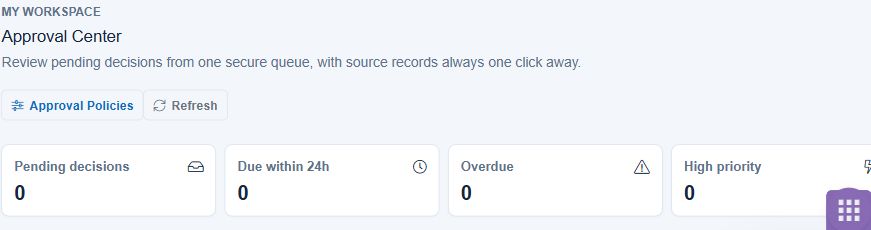
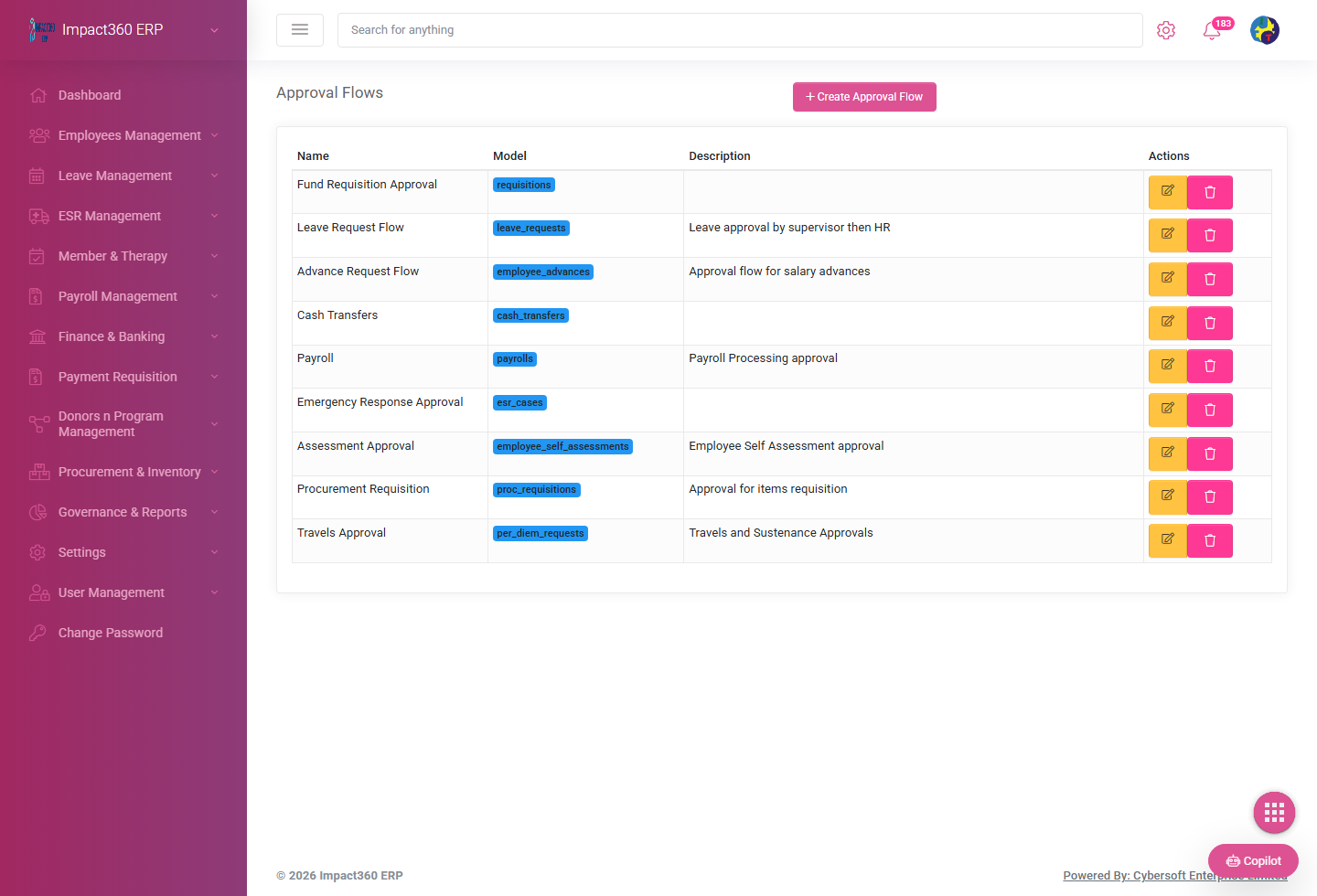
Requests move through named stages instead of becoming final simply because a user saved a form. Procurement and enterprise workflows distinguish draft, submitted, approved, received, billed, and posted records. Independent approval and linked documents help teams follow responsibility from the original request to its accounting outcome.
Trading and consultancy alongside donor-funded work
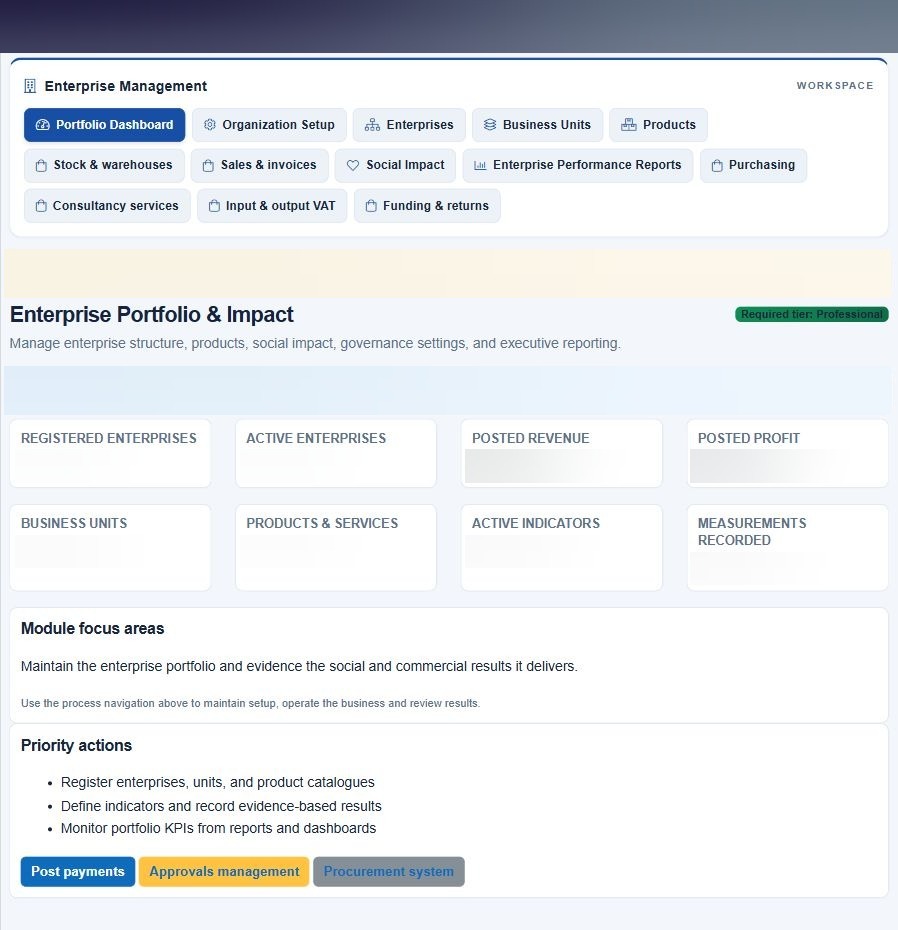
Enterprise Management supports purchased finished goods for resale and consultancy services. Business units organise products, customers, purchasing, sales, and funding. The funding-and-returns workbench distinguishes allocations, commitments, expenditure, earned income, customer cash, and operating results rather than treating them as the same balance.
02 / MODULES & WORKBENCHES
Designed around the workflow.
People & workforce
Maintain employee records and employment information, supporting documents, reporting relationships, contracts, performance workflows, and offboarding. Scoped employee views and self-service access separate a staff member’s own information from the wider HR register.
Leave, attendance & payroll
Coordinate leave requests and approvals, attendance records, payroll periods, processing and approval states, and payslip access. Country-aware payroll settings and reporting are present in the Kenya and Zambia workflows; actual statutory configuration remains specific to each deployment.
Finance & accounting
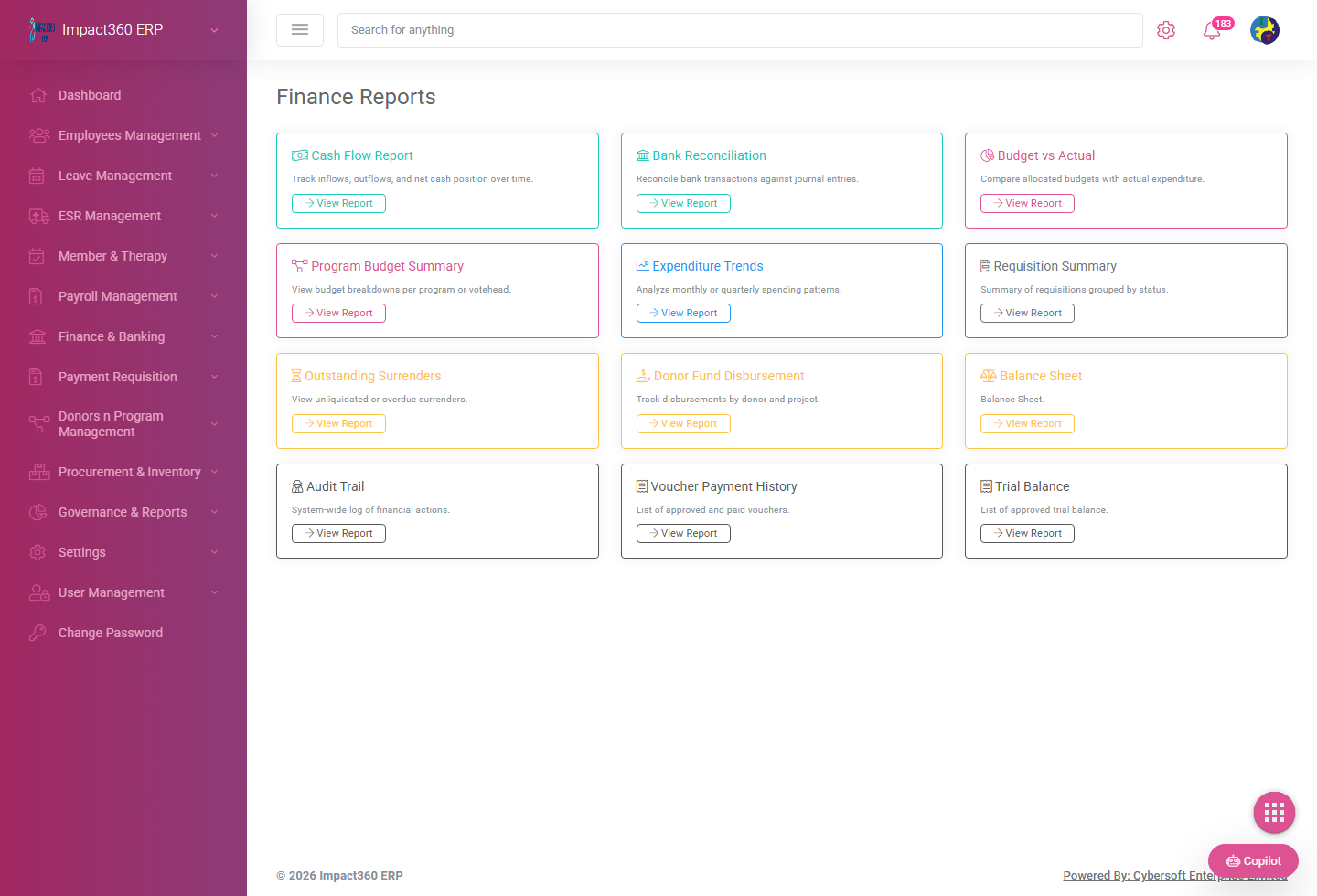
Organise payment requests, vouchers, journals, receivables, payables, bank reconciliation, and financial reporting. Posting and reversal workflows preserve transaction history and link operational documents to their financial effect.
Procurement & supplier documents
Follow requisitions through independent approval, purchase orders, goods or service receipts, and supplier bills. Dedicated document tabs separate each stage and retain the selected enterprise context. Partial delivery and accepted-versus-rejected quantities support practical receiving workflows.
Programs, donors & grants
Bring donors, funding sources, programme activities, indicators, milestones, and reports into a common management view. Shared budget workflows provide a basis for tracking allocation, commitments, expenditure, and donor restrictions across operational activities.
ESR & social-service case management
Support member and case registers, intake, assessments, therapy-related workflows, and operational reporting. This module gives social-service teams a structured case-management area alongside the organisation’s administrative and financial functions.
Enterprise trading & consultancy
Manage business units, customers, products, services, quotations, sales orders, invoices, and customer receipts. Purchased goods can affect stock; consultancy services do not create stock movements. The commercial document chain preserves invoice-line and party information.
Enterprise funding & returns
Link enterprise activity to approved shared-budget allocations, reserve commitments when orders are submitted, and recognise expenditure when bills are posted. The workbench reports funding, commitments, expenditure, income, cash, costs, and surplus or deficit separately.
Inventory & operational stock
Track inventory records and enterprise stock movements associated with receiving and sales. Warehouse and product context connects accepted deliveries with stock availability and the related operational documents.
Governance, analytics & reporting
Provide operational and management reporting across governance, HR, programmes, cases, and finance. Role-sensitive menus and dashboards support different responsibilities; report availability and populated data depend on the tenant’s enabled modules.
Access, approvals & audit
Apply tenant and organisation boundaries, role-based permissions, approval responsibilities, and activity history. Session checks, login throttling, and CSRF protections are documented in the application’s security and workforce implementation work.
03 / FEATURES & BENEFITS
Documented capabilities
- Employee lifecycle and scoped staff self-service
- Leave requests, attendance, payroll periods, and payslip workflows
- Requisition → purchase order → receipt → supplier bill document chain
- Independent approval responsibilities in enterprise purchasing and sales
- Quotation → sales order → invoice → customer receipt workflow
- Trading goods and consultancy services handled separately
- Donor, grant, programme, indicator, and shared-budget context
- Enterprise allocation, commitment, expenditure, and returns reporting
- Partial receiving and accepted-quantity supplier billing
- Financial posting, approved reversals, and bank-reconciliation workbenches
- ESR member, case, assessment, and therapy-related workflows
- Role-sensitive navigation and tenant/organisation-scoped access
Operational value
- Follow operational requests through approval and financial reporting.
- Reduce disconnected administration across people, programmes, and enterprise teams.
- Distinguish donor budget authority from actual expenditure and commercial income.
- Keep staff, case, and financial records within their authorised organisational scope.
- Give management a joined-up view of operations without claiming measured customer outcomes.
04 / EXAMPLE WORKFLOW
From first step to follow-through.
- Configure the organisation, roles, workforce, programme context, and applicable enterprise business units.
- Raise a requisition or commercial quotation and route the relevant documents through independent approval.
- Receive goods or acknowledge services, record the supplier bill or customer invoice, and preserve the linked document chain.
- Post approved financial transactions, record customer receipts, and review funding, programme, and management reports.
05 / DELIVERY & TECHNOLOGY
Implementation scope
- Modular web application with organisational workspaces
- Workforce, payroll, finance, procurement, programmes, and ESR module areas
- Enterprise purchasing, sales, funding, and returns workflows
- Role-sensitive navigation and approval controls
- Printable commercial documents and operational reports
Technical details
Repository review confirms a PHP/CodeIgniter application with tenant-aware data access and server-rendered web interfaces. Exact hosting configuration, enabled modules, payroll configuration, and third-party services depend on the installation.
PHPCodeIgniter 4SQL-backed tenant dataJavaScriptServer-rendered web UI06 / INSIDE THE APPLICATION
Module screenshots
Executive dashboard and enterprise portfolio captures were taken from the live application on 18 November 2026 with private details blurred. Approval and finance-selector images were captured on 17 November. Additional images are labelled recorded product captures.
Full executive dashboard

Enterprise portfolio & impact workspace
Live approval centre
Live finance report selector

Finance reporting workbench
Approval-flow management
SCOPE & AVAILABILITY
What to know before a demonstration
Feature coverage varies by tenant, permissions, and deployed release. Commercial PDFs are not evidence of automatic KRA eTIMS or ZRA Smart Invoice certification. External fiscal processing follows its own integration and approval requirements.
Profile reviewed against the Impact360ERP demo guide, workforce implementation report, enterprise-trading documentation, controller structure, and Codex deployment updates. Benefits describe intended operational value, not independently measured results.