
01 / PROJECT OVERVIEW
The business challenge
A patient journey often crosses reception, triage, consultation, diagnostics, pharmacy, billing, and follow-up. When these departments maintain disconnected records, teams struggle to coordinate visits, track requests, reconcile charges, or understand which user may access a record. Medisphere provides linked clinical and administrative workspaces with tenant and facility boundaries.
How the system is organised
The application is organised around patient, visit, department, and facility context. Clinical and administrative modules share the patient journey while route-level permissions and module entitlements control access. Departmental workbenches support requests, review, billing, fulfilment, and reporting without treating every deployment as an identical hospital configuration.
Who it is for
Hospitals, clinics, multi-facility healthcare organisations, reception teams, nurses, clinicians, laboratory and radiology teams, pharmacists, billing officers, hospital administrators, and authorised integration teams.
A connected patient journey
The patient-management foundation supports registration and front-desk work. Triage, consultation, laboratory, radiology, pharmacy, billing, and inpatient modules provide the departmental workspaces around a visit. The catalogue also includes community health and referrals, allowing the documented scope to extend beyond a single consultation.
Clinical depth with operational support
Medisphere combines clinical areas with procurement, inventory, finance, HR and payroll, assets, documents, workflows, and business intelligence. This supports the broader hospital operation rather than presenting clinical records as a standalone application disconnected from staffing, medicines, equipment, and revenue administration.
Interoperability with explicit deployment gates
The source contains Kenya-focused SHA/TaifaCare, DHA/AfyaLink, terminology, national-health reporting, and eTIMS integration work. These are integration workstreams whose availability depends on configured providers, source catalogues, credentials, permissions, and qualification. Their presence in source does not establish universal live connectivity or regulatory certification.
02 / MODULES & WORKBENCHES
Designed around the workflow.
Patient registration & front desk
Maintain patient administration and front-desk workspaces, locate registered patients, and coordinate visits. Patient Access and route-backed navigation connect reception with the next authorised department while retaining tenant and facility context.
Triage & consultation
Capture and review the clinical encounter through triage and consultation workspaces. Documented decision-support services include abnormal-vital and trend analysis, early-warning scoring, and diagnosis suggestions; clinicians remain responsible for interpreting and acting on the information.
Laboratory
Coordinate laboratory requests and the related laboratory workflow within the patient journey. Laboratory results and abnormal/critical-value concepts are present, while the documentation distinguishes these from a fully proven end-to-end blocking critical-result alert.
Radiology
Provide a dedicated imaging department module alongside patient and clinical requests. Radiology workspaces are part of the active catalogue, supporting departmental coordination and authorised review within the wider hospital workflow.
Pharmacy, prescribing & dispensing
Connect prescriptions, dispensing, pharmacy stock, and pharmacy point-of-sale workspaces. Medication-safety services include recorded-allergy checks and drug-interaction warnings; configuration and the available medicine/monograph data determine the relevant context.
Inpatient care & nursing
Support inpatient-department and nursing workspaces around admitted patients. These modules extend the application beyond outpatient administration and connect ward-based activity to the patient and hospital operating context.
Maternity, MCH & theatre
Include maternal and child health, maternity, and theatre modules for specialised hospital services. Their availability is governed by enabled modules and department access; workflow acceptance and the configured release must be checked for each facility.
Billing, cashiering & receivables
Coordinate patient charges, cashier and payment workflows, billing, claims-related administration, and receivables. Dedicated workbenches distinguish clinical services from payment collection and outstanding-balance administration.
Procurement, inventory & assets
Organise procurement requests, supplies and inventory, fixed assets, and biomedical-equipment administration. These support functions provide the operational context for medicines, consumables, and equipment used across hospital departments.
Finance, HR & payroll
Provide finance and accounting workbenches alongside employee, workforce, leave, and payroll areas. Hospital managers can administer financial and staff operations within the same modular platform, with permissions appropriate to those duties.
Clinical decision support & terminology
Documented services cover medication allergy checks, interaction warnings, renal/hepatic advisory information, vital-sign analysis, rule dashboards, reminders, and terminology validation. The feature matrix explicitly separates implemented services from partial or unimplemented prescribing-safety capabilities.
Claims & healthcare interoperability
Include claims, SHA/TaifaCare, preauthorisation, DHA/AfyaLink, provider registries, national-health reporting, and related interop workbenches. Live use requires the relevant provider setup and qualified mappings; catalogue membership alone is not a certification claim.
Reporting & multi-facility administration
Combine operational reports, business intelligence, multi-facility configuration, user management, roles, audit logs, documents, and workflow modules. Tenant resolution and module entitlement form part of access decisions across the application.
03 / FEATURES & BENEFITS
Documented capabilities
- Patient administration and front-desk workspaces
- Triage and consultation module areas
- Laboratory and radiology departmental modules
- Prescriptions, dispensing, pharmacy inventory, and pharmacy POS
- Inpatient, nursing, MCH, maternity, and theatre module areas
- Billing, cashiering, payment, and receivables workbenches
- Procurement, supplies, fixed assets, and biomedical administration
- Employee, HR, leave, payroll, and finance module areas
- Medication-allergy checks and documented drug-interaction advisories
- Vital-sign analysis, early-warning scoring, CDS rules, and follow-up reminders
- Terminology validation and controlled payer-mapping work
- Tenant/facility boundaries, role permissions, and module entitlements
- SHA/DHA and national-health integration workstreams with deployment prerequisites
Operational value
- Coordinate clinical and administrative departments around a shared patient journey.
- Connect medicines, equipment, staffing, and revenue administration to hospital operations.
- Give each authorised team a module appropriate to its role and facility context.
- Support structured clinical review without presenting advisory tools as autonomous clinical decisions.
- Provide a foundation for controlled reporting and healthcare integration work.
04 / EXAMPLE WORKFLOW
From first step to follow-through.
- Register or locate the patient and establish the relevant visit and facility context.
- Move through authorised triage and consultation workspaces, with departmental requests where needed.
- Coordinate diagnostics, prescribing, dispensing, inpatient or specialist workflows, and the associated billing activity.
- Review payment, receivable, operational, and authorised integration workbenches; arrange follow-up and reporting.
05 / DELIVERY & TECHNOLOGY
Implementation scope
- Modular HMIS web application
- Clinical and patient-administration module areas
- Billing, pharmacy, supply-chain, and hospital-support workbenches
- Role, tenant, facility, and entitlement-aware access architecture
- Healthcare interoperability, terminology, and reporting implementation work
Technical details
The repository contains CodeIgniter controllers, PHP views, tenant-aware services, migrations, and departmental module definitions. The active module catalogue and enabled tenant configuration determine what is available in a particular hospital release.
PHPCodeIgniter 4Tenant-aware SQL data layerJavaScriptServer-rendered departmental workbenches06 / INSIDE THE APPLICATION
Module screenshots
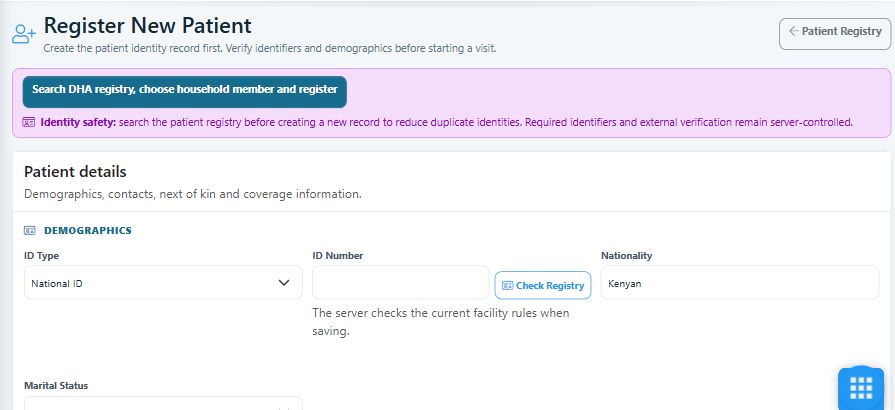
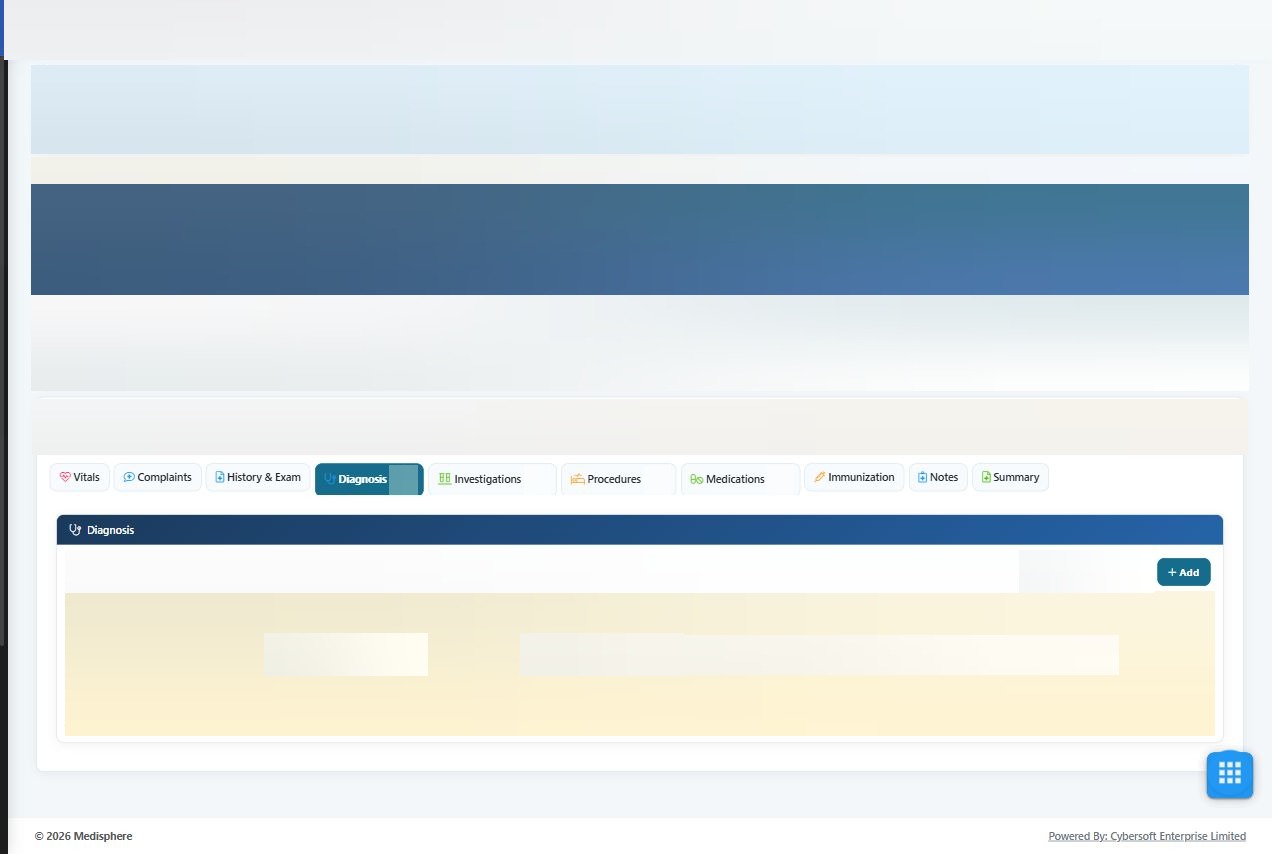
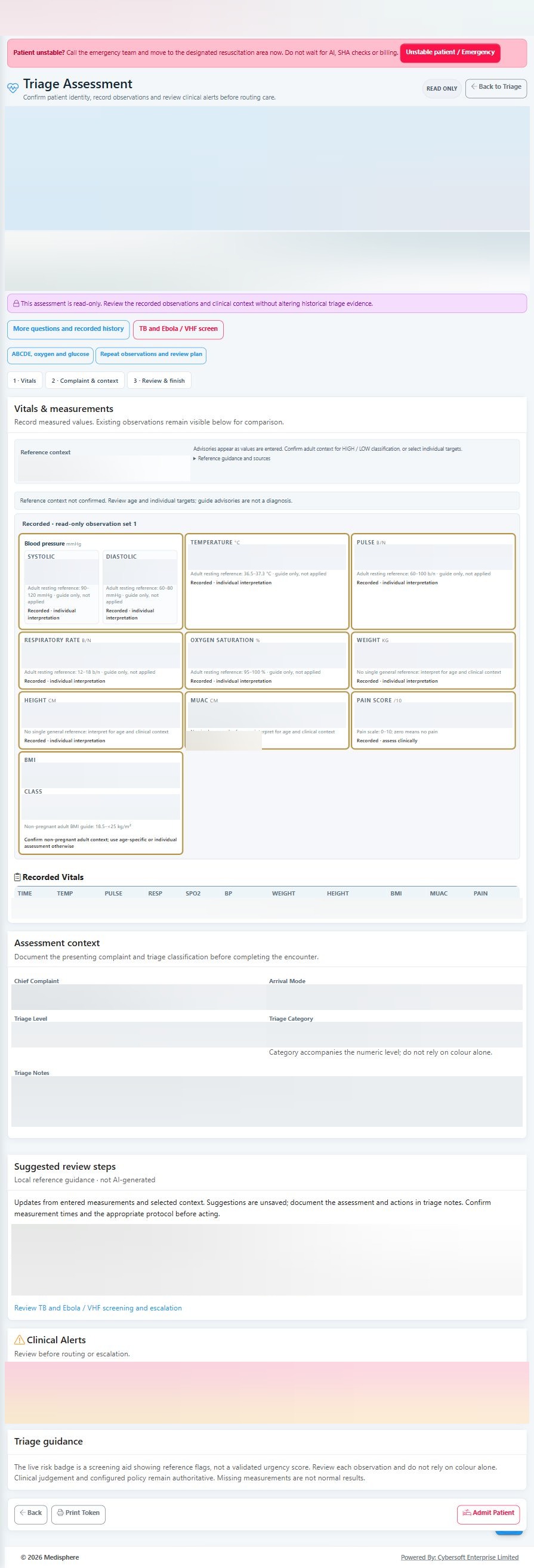
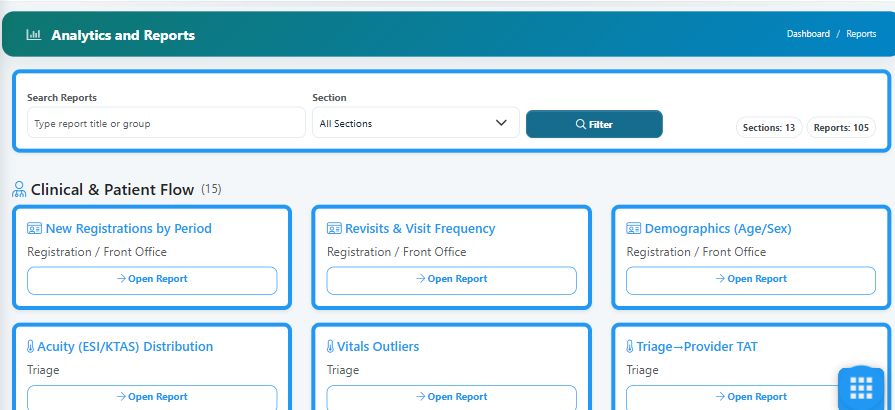
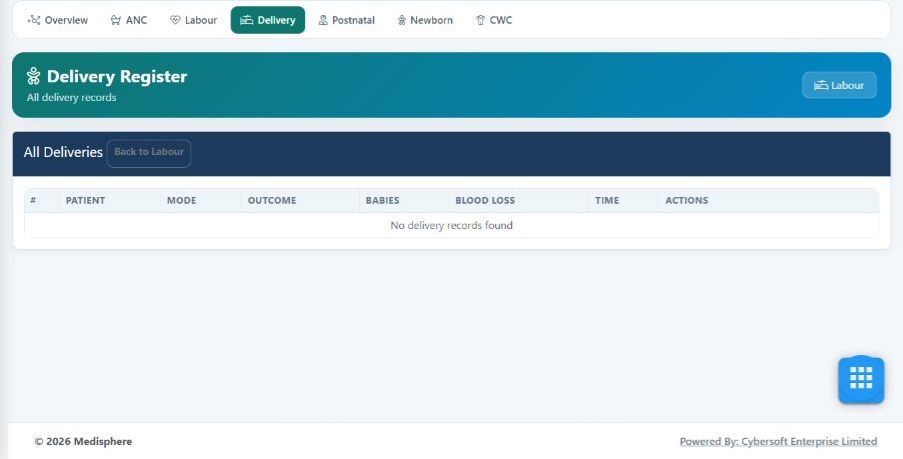
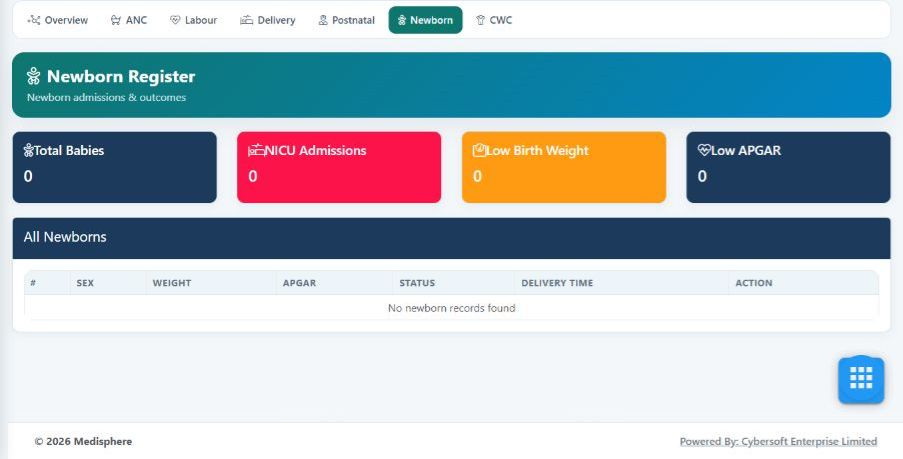
Current local application captures show registration, the full consultation screen, the complete triage assessment window, and report navigation. Patient details and clinical records are blurred in the consultation and triage captures. Remaining images are labelled recorded deployment evidence.
Current patient-registration workspace
Full consultation screen
Full triage assessment window
Current analytics & report catalogue
Maternity delivery register
Newborn register
SCOPE & AVAILABILITY
What to know before a demonstration
Module availability is deployment-specific. Appointments require tenant verification in the catalogue. Clinical and integration capabilities have different verification states; source review is not whole-system UAT or DHA certification. Pregnancy-specific and age/weight prescribing warnings are not claimed as implemented.
Profile reviewed against the Medisphere module catalogue, route/view/menu matrix, CDS feature matrix, demo-flow documentation, and project controller structure. No patient records or clinical outcomes were used as marketing evidence.